There’s one common situation for advertisers: they buy traffic, see conversions, and assume everything is working fine. But once they dig deeper and try to understand where exactly leads come from, which format actually paid off, or which devices perform best in a specific GEO, there are no clear answers. The ad network shows click data, the affiliate program shows payouts – but the connection between them is missing.
To grasp the full picture, you need end-to-end analytics. In this guide, we’ll explain how to set it up in EVADAV Ad Network using an S2S postback. Step by step, from creating the postback URL to launching your first campaign. This will allow you to collect all key data (clicks, spend, conversions, and ROI) in a single interface.
🎁 Bonus for new advertisers in EVADAV Ad Network: use promo code Binom50 to get an extra $50 when you make your first deposit of $500 or more.
About EVADAV Ad Network
Ad Network is part of the EVADAV TRAFFIC GROUP holding. It’s a group of companies providing innovative solutions in media buying and traffic monetization for advertisers, publishers, networks, affiliates, and brands, which helps them increase profitability.
Ad Network is a performance traffic source. It’s well-suited for advertisers using CPC and CPM models, and media buyers working with CPA campaigns. The platform partners with thousands of verified websites and apps and delivers massive global reach – billions of impressions daily.
Advertisers have access to four main formats:
● Popunder is often used in iGaming campaigns for direct user impact
● In-page helps with campaign scaling and targeting cold traffic.
● Push is great for testing: bids start from $0.001
● Native usually delivers a higher CTR compared to other formats
Campaign setup is fast: choose a format, define targeting (GEO, device, browser), upload creatives, and wait for moderation (it usually takes just a few minutes). The platform supports most major verticals, including Gaming, Betting, Dating, e-Commerce, Utilities, Software, Streaming & VOD, News & Content, Finance, Nutra, and more. You can top up your account using 40+ payment methods, including bank cards, crypto, or systems like Capitalist.
Why connect Binom
Running traffic without a tracker means optimizing blindly. You won’t know which sources make
you money and which ones just drain your budget.
Binom solves this problem. It generates fast reports, lets you segment data by multiple parameters, filter bots, and distribute traffic between landing pages and offers. Since it’s self-hosted, your data stays private, and you’re not limited by click volume.
Once you connect EVADAV Ad Network with Binom via postback, you can see in real time which combinations work, where your funnel drops off, and what exactly drives profit. It’s one of the most reliable ways to scale campaigns efficiently and avoid wasting budget.
How to Set Up EVADAV with Binom Tracker
Step 1: Generate Postback in EVADAV
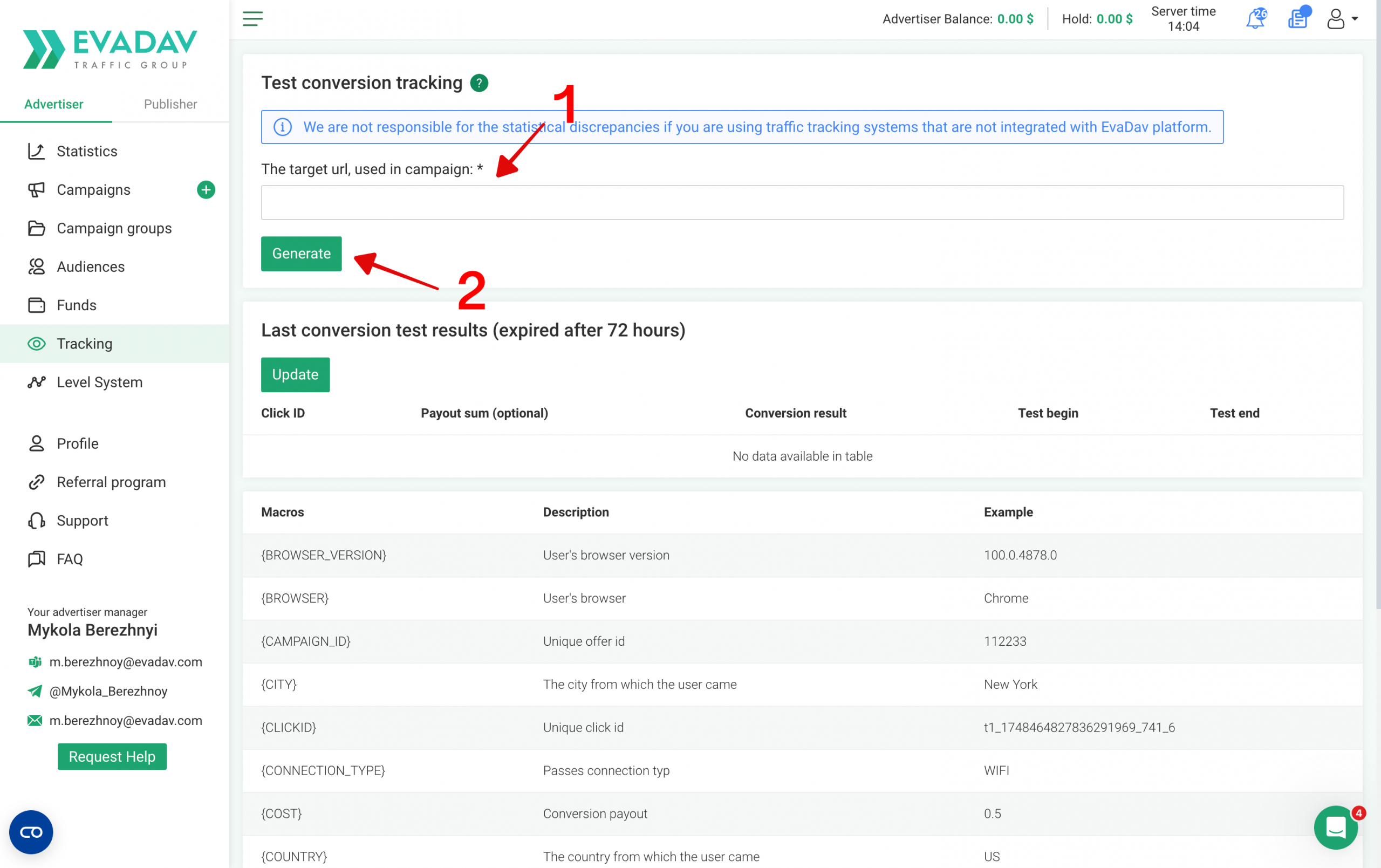
First, you need to get the postback link from your traffic source to track conversions.
1. Log in to your EVADAV advertiser account.
2. Open the Tracking section.
3. Copy the target campaign’s URL where traffic will go.
4. Generate Postback URL.
You’ll use this URL later during the Binom tracker setup.
Step 2: Configure EVADAV as a Traffic Source in Binom
Next, connect your traffic source to Binom so the tracker can receive clicks and conversions
correctly.
Inside Binom:
1. Go to Traffic Sources.
2. Click Create.
3. Select Load from template.
4. Choose EVADAV from the list.
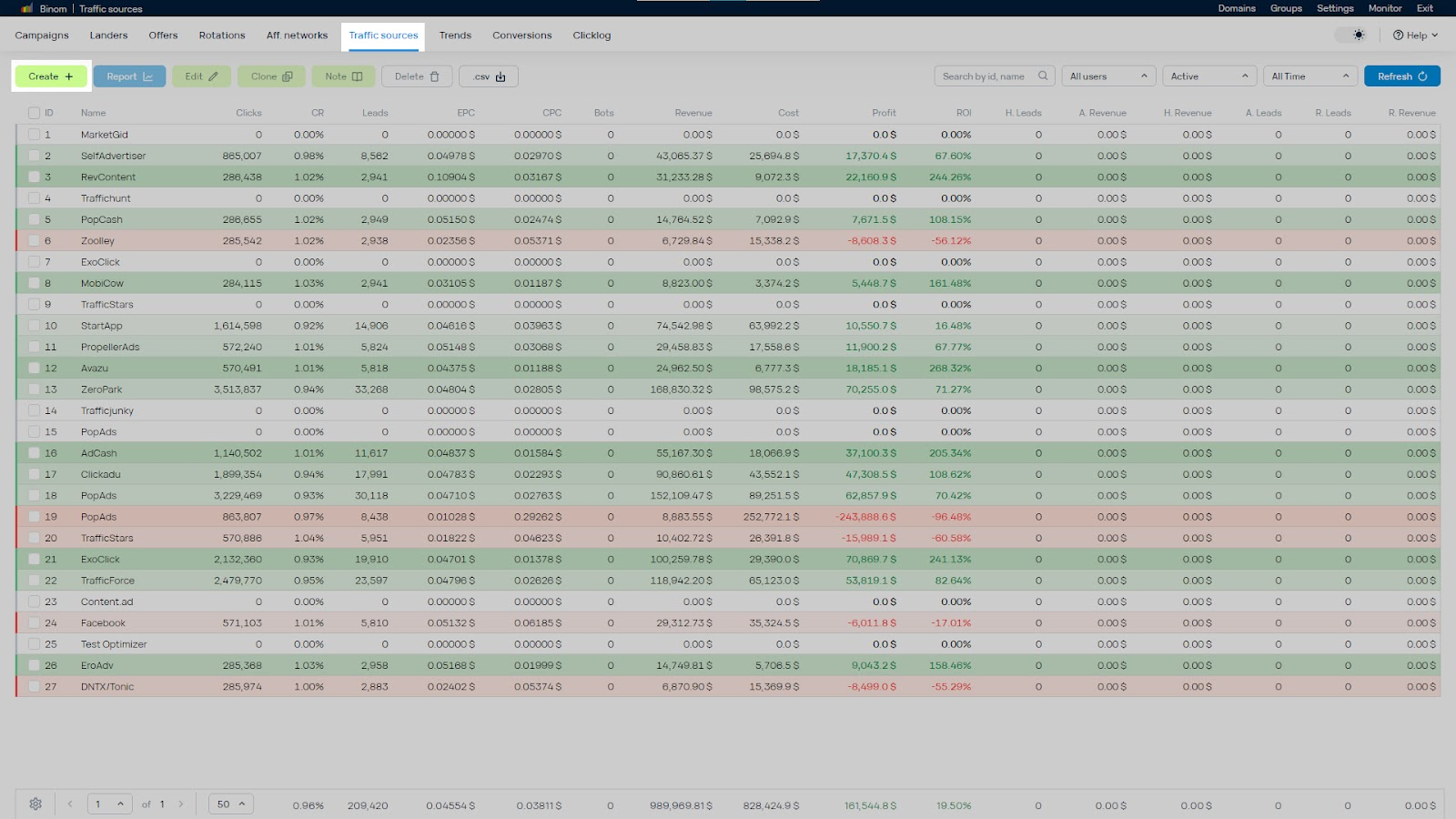
Binom will automatically apply the required tracking parameters and tokens.
Now paste the Postback URL from Step 1 into the Postback URL field.
Important:
● Replace all default placeholders like “REPLACE”
● Insert your real aid and tid
● Double-check every token before saving
Wrong IDs can break your postback tracking completely.
Once everything is configured, click Save.
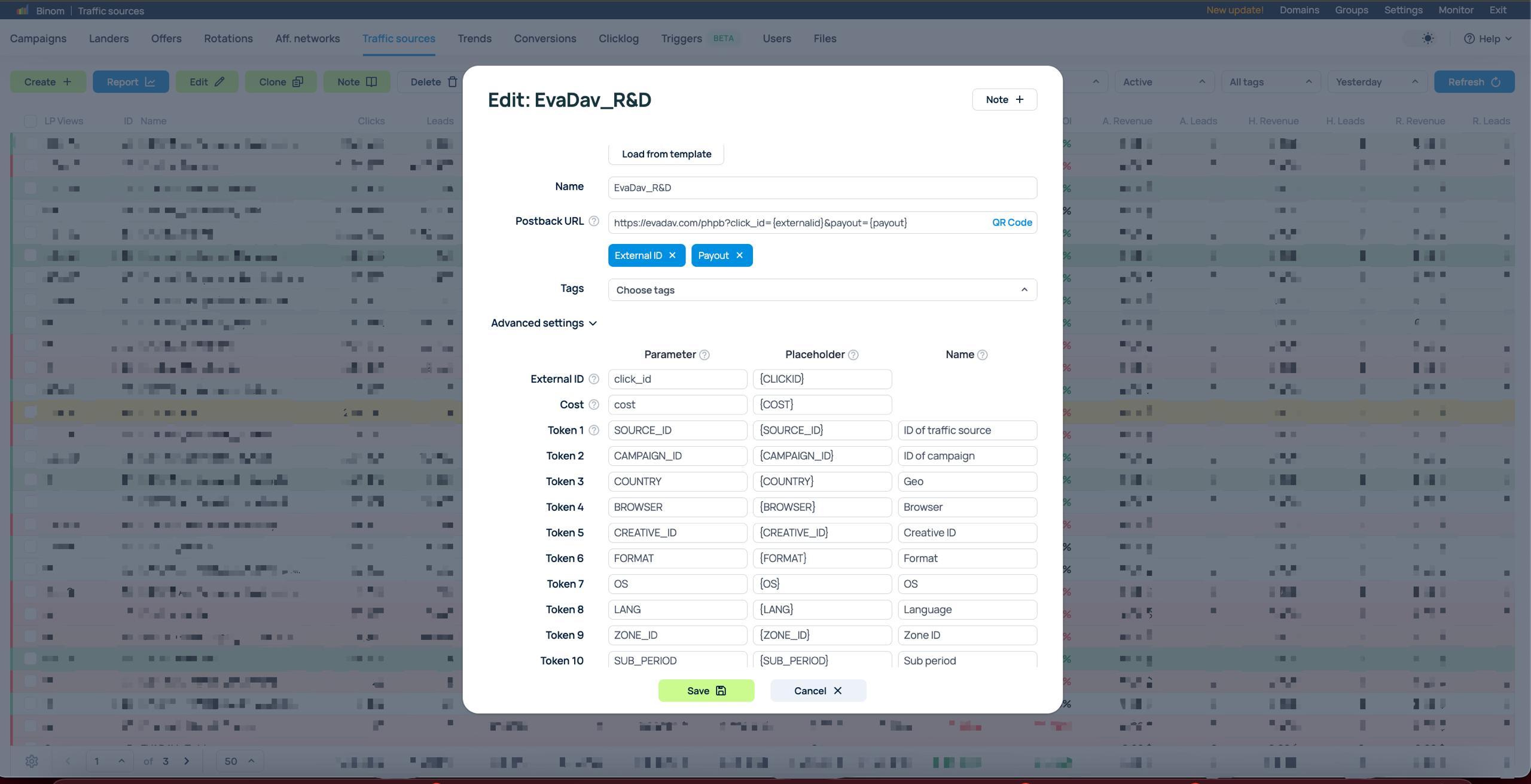
Binom supports up to 30 custom tokens for deeper traffic analysis. You can manually add extra parameters to your EVADAV tracking URL, including:
● {BROWSER} – User’s browser
● {BROWSER_VERSION} – Version of the user’s browser
● {COUNTRY} – Name of the target country
● {CITY} – The city from which the user came
● {FORMAT} – Ad format
● {SUB_PERIOD} – User subscription period (days)
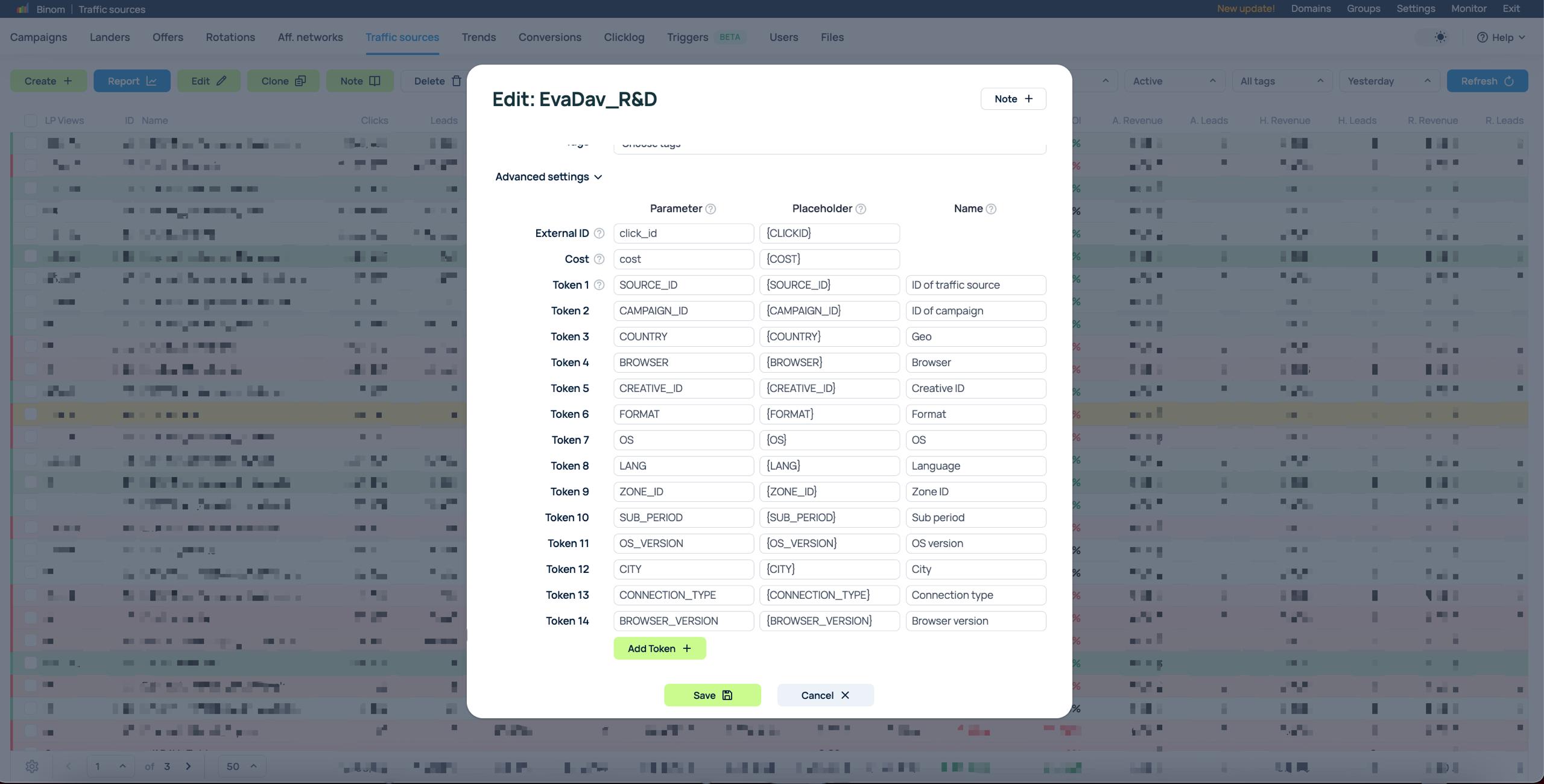
These tokens are useful for campaign optimization, filtering, and advanced reporting.
Step 3: Configure Postback Tracking in Your Affiliate Network
Now it’s time to connect EVADAV to Binom. This allows the tracker to receive conversion
events from your CPA network.
Inside Binom:
1. Add your affiliate network.
2. Create an offer.
3. Generate a local postback URL with the {clickid} token.
After that:
1. Copy the generated Binom postback.
2. Paste it into your affiliate network dashboard.
Once connected, conversion data will automatically pass into Binom.
Before launching traffic, make sure you also create:
● your landing pages
● offers
● destination paths
If you run into token or macro issues, contact your EVADAV manager.
Step 4: Create a Campaign in Binom
Now it’s time to assemble the full funnel inside Binom.
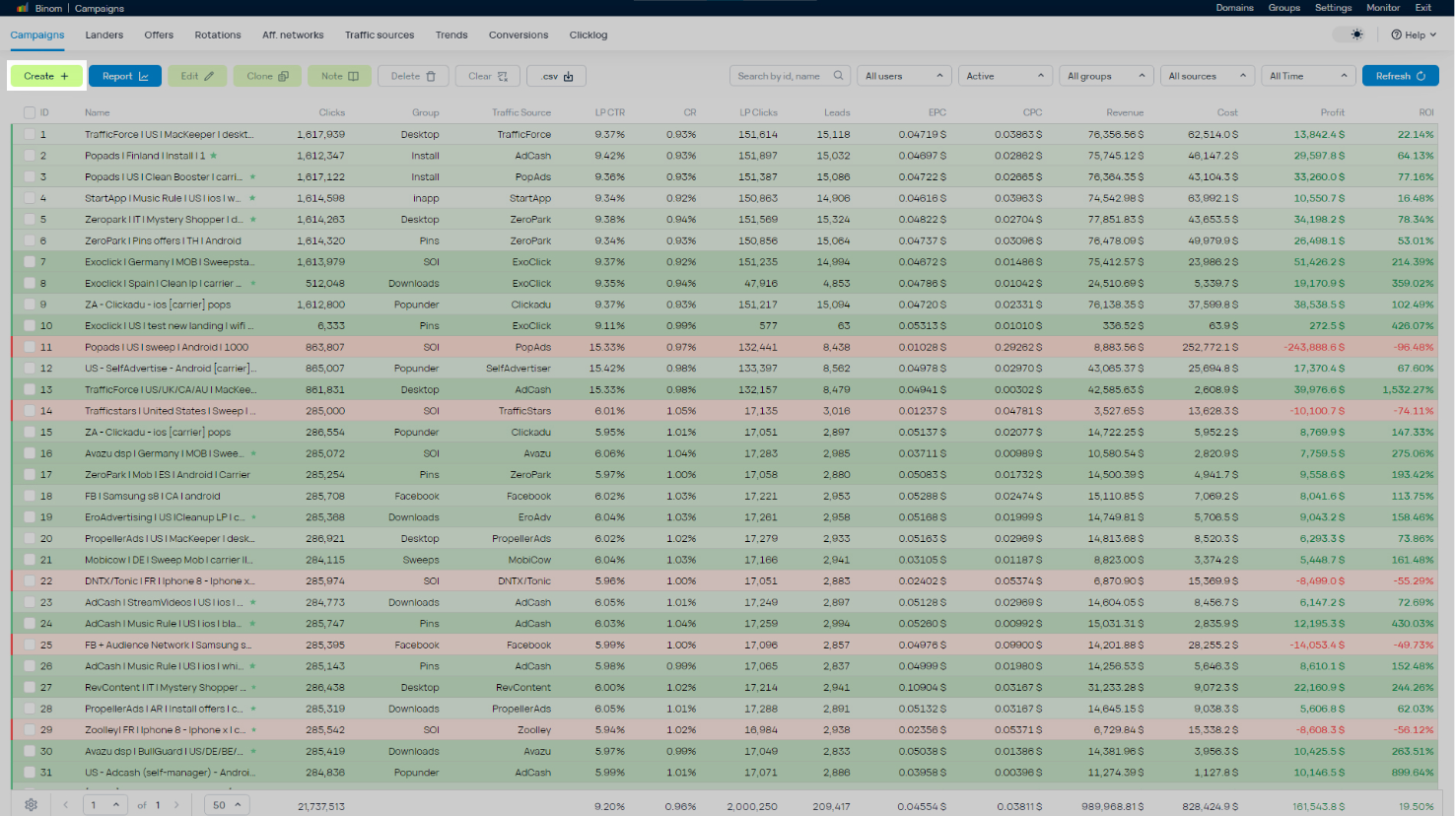
1. Open the Campaigns tab and click Create.
2. Enter a clear name for your campaign.
3. Select EVADAV as your Traffic source from the dropdown menu.
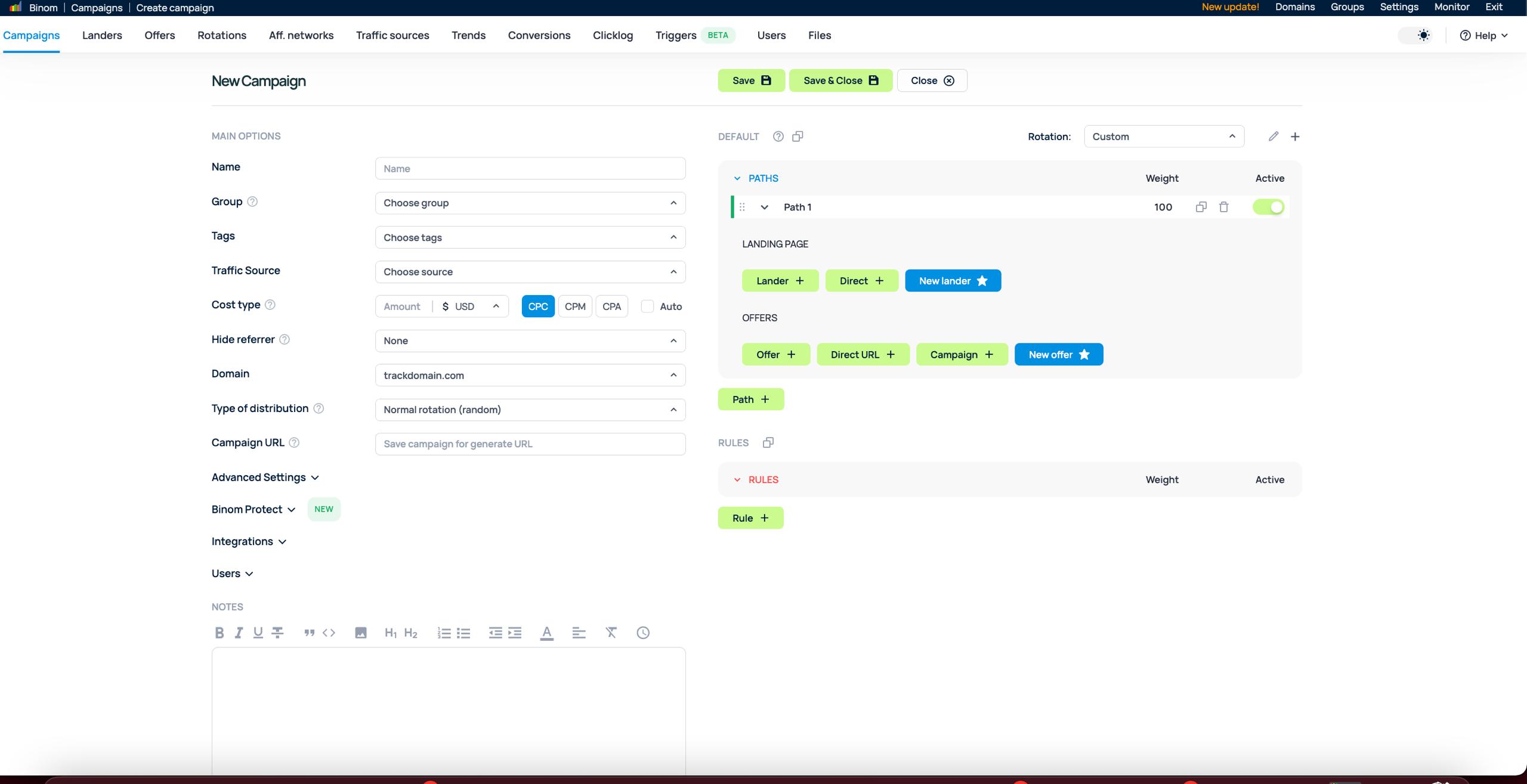
4. Fill out the destination paths (your landers and offers).
5. Click Save to generate your unique Campaign URL.
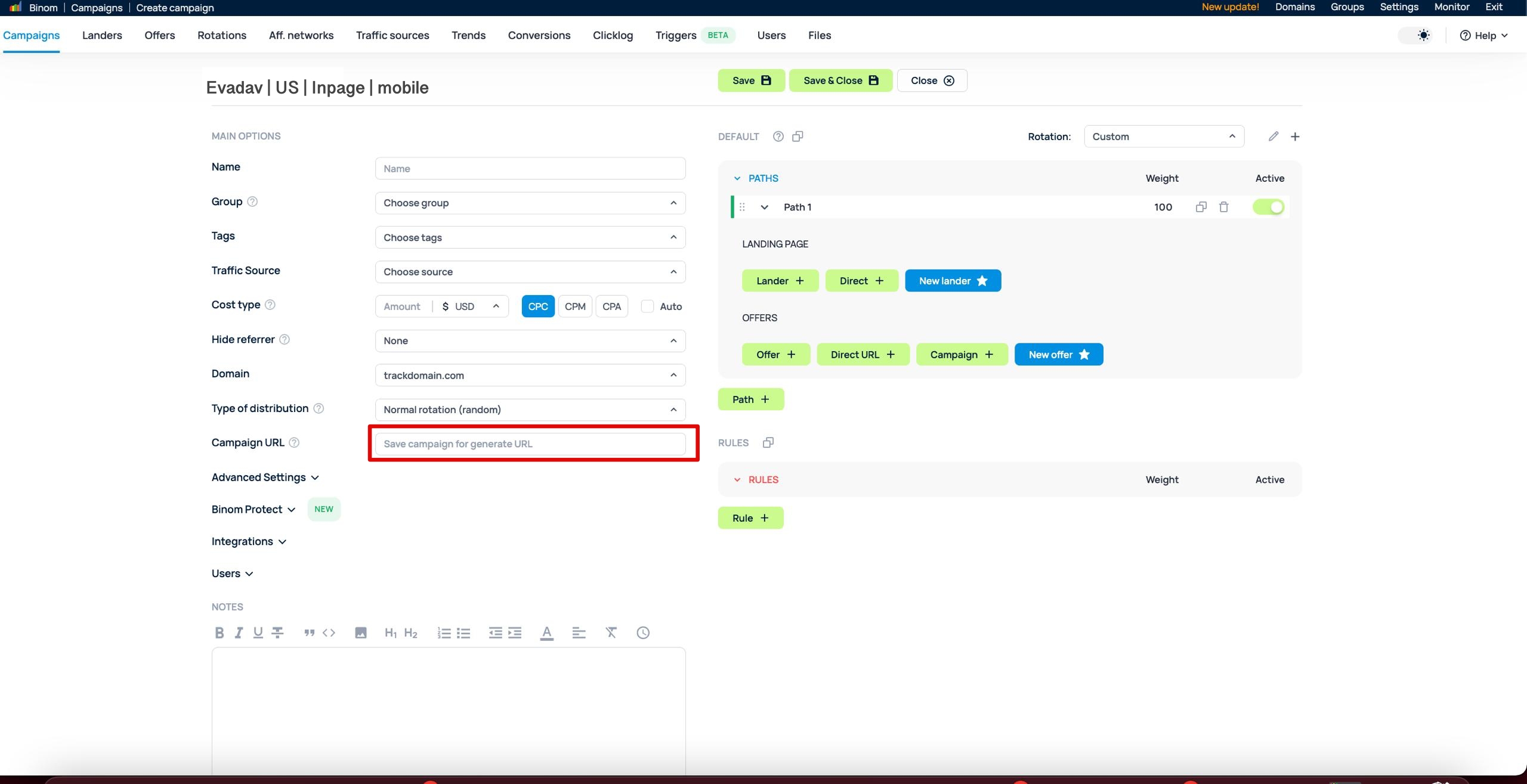
You can verify the setup directly via the tracking tools in your EVADAV dashboard. Paste your Binom Campaign URL into the “Check URL” tool, click through the test banner, and trigger a mock conversion. Then, verify that the test conversion appears correctly in both Binom and EVADAV stats.
Step 5: Launch Your Campaign in EVADAV
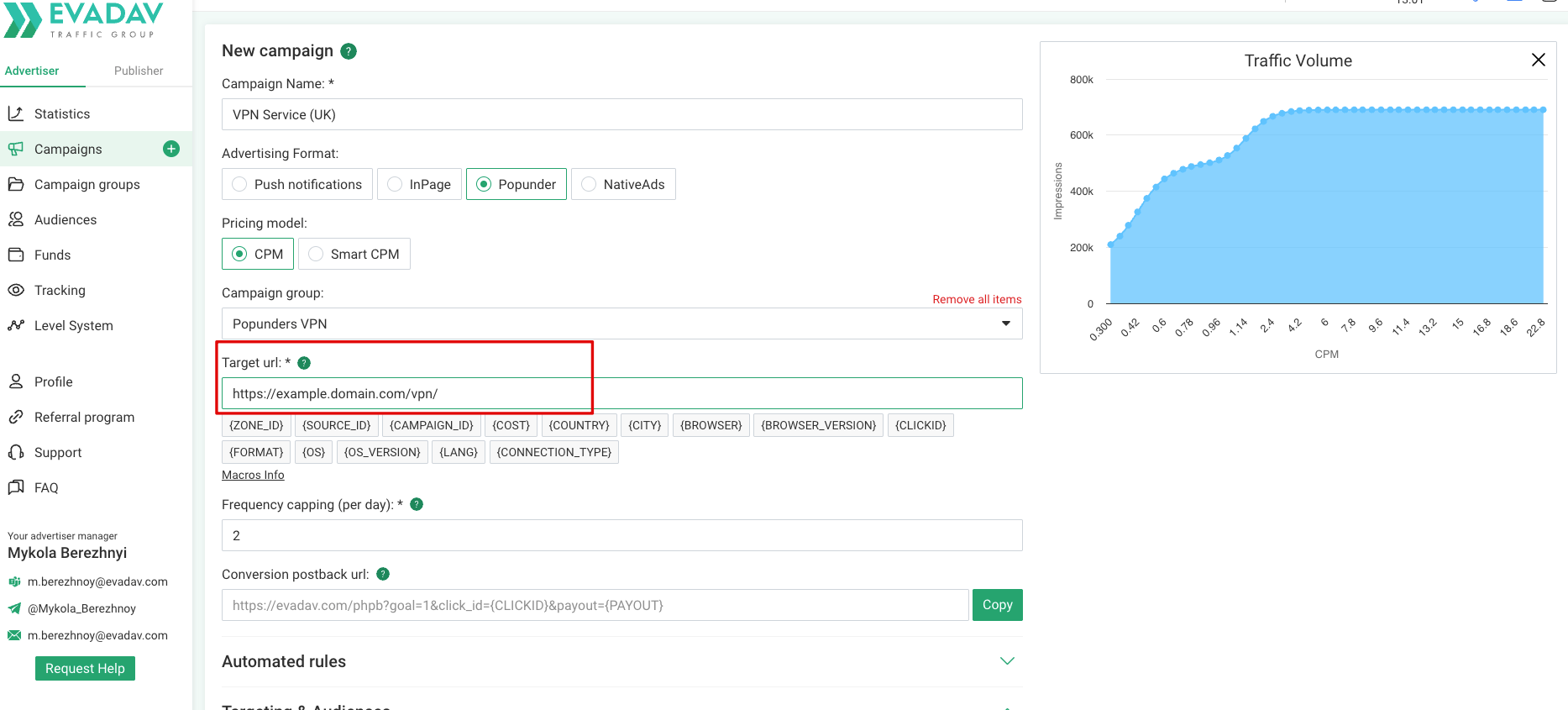
The final step is to activate your tracking link within the ad network.
1. Log in to your EVADAV advertiser account and click Create Campaign.2. Set up your targeting options, budgets, and creatives.
3. Paste the Campaign URL copied from Binom into the Target URL field. Make sure all
dynamic tokens remain intact.
4. Save the campaign and wait for moderation.
Conclusion: More Data – Better Decisions
A properly configured data exchange between EVADAV and Binom helps you grow without unnecessary spending. You’ll see exactly which countries, devices, and placements are generating profit — and which aren’t. This approach works equally well for beginners and large teams, as it gives full control over traffic and enables efficient budget management.
Launch campaigns in EVADAV Ad Network right now
Sign up with EVADAV Ad Network, apply a promo code when topping up your balance, and start
receiving quality traffic with full analytics control through Binom!
Have questions about the setup? Binom’s support team is always available, and from day one in
EVADAV Ad Network, you’ll have a dedicated personal manager to help you navigate the integration and configure your ad campaigns.